

 I'm in a bitchy mood and probably shouldn't be blogging, but it's all good... because an all new Bullet Sunday starts...now...
• noPhone! Well, shoot. Guess I'm saving my money and not buying a new iPhone 18 Pro Max after all. Turns out the only thing I give a crap about, the new variable aperture, is a non-starter because the photo sensor on the iPhone is so small that the aperture doesn't really have much of an effect when it comes to depth of field...
And so... maybe next year. Because right now the camera on the 18 Pro is not enough for me to switch just as the 17 Pro wasn't before it.
• Eyesight! On Friday I had to run to the Big City for work. While I was there, I dropped by Costco. Where I spent way too much money. I bought new silverware because my old stainless steel stuff (which I love) is starting to get messed up... I bought new reading glasses, because it's time I bumped up from -1.5 to -2.0, alas... and I also bought a 2-pound tub of Rojo's Street Corn Dip, which I will end up eating in less than a week...

Because it's just that insanely delicious.
• The Great Beyond! After Costco, I ran by Fred Meyer to pick up five packages of Beyond Stack Burgers. But before I picked up my online order, I went inside and picked up an additional five packages because they were on sale for a crazy good price. Thank heavens I bought that small freezer for my garage!
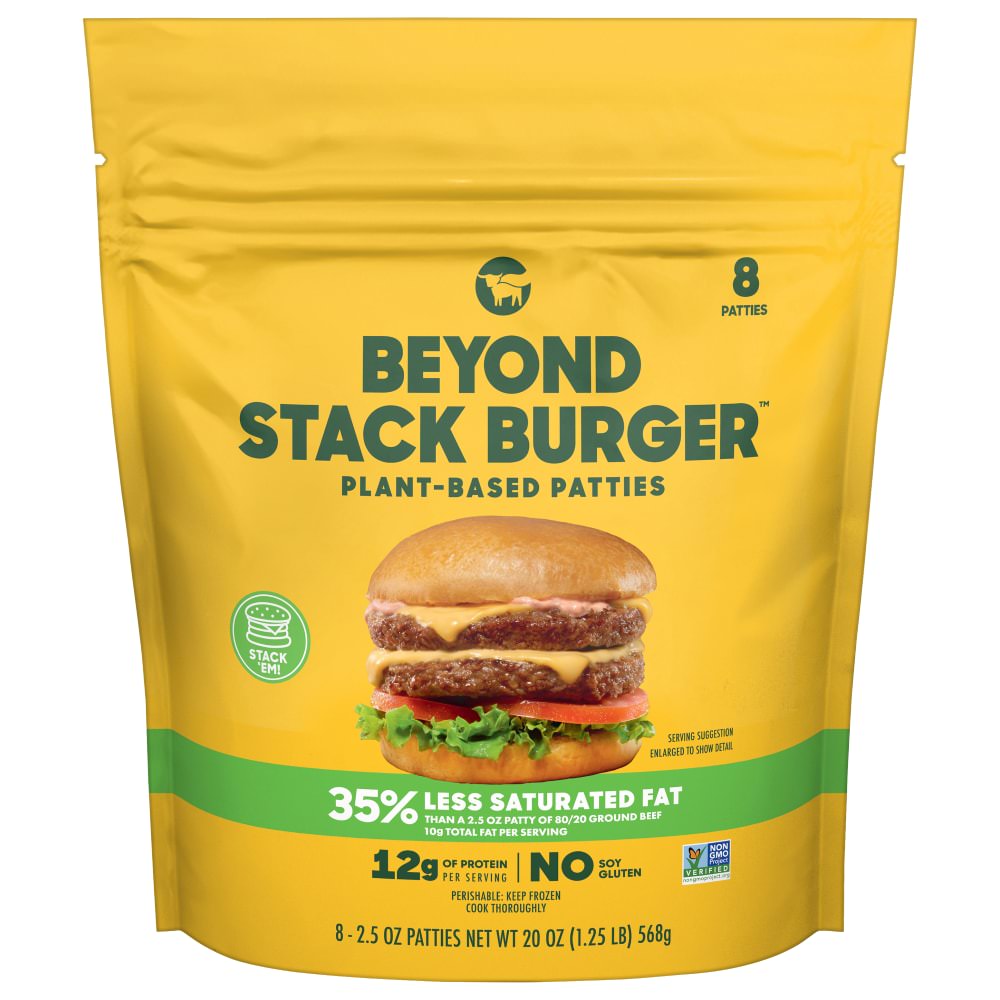
So now I have 80 burgers ready to go. Since I eat them morning, noon, and night, I figure they might last me until mid-November sometime. Hopefully they will go on sale by then, because they're way expensive when they're not on sale. Of course, I'd rather pay full price than have them discontinued by Fred Meyer, since they are the only store in the entire valley which has them.
• Reach for the Sky! The latest season of Reacher was incredible. I was very sad it was over and I'm having to wait months or years for new episodes. However... we did get a new series to help lessen the blow, a Neagley spin-off!

The show is amazing, as expected. And, talk about lessening the blow, Amazon Prime may have given us Neagley... but they canceled Ride or Die, which pisses me the fuck off. The show was highly regarded, highly rated, and had great promise for a second season. How the hell do they decide where to spend their money?
• Rarity! Now this is fucking cool as all getout...
Isn't stuff like this incredible? Doesn't it just blow your mind that a substance like this can exist?
• Interplanet Janet! Alrighty... we're going from cool shit dug out from the earth to cool shit we're doing in space! This is an incredible video. And the visualizations they're using are some of the best I've seen. Well worth your valuable time to watch...
We are capable of some truly great things as we reach for the stars. Sadly, we would apparently rather spend our time fighting in the dirt. What a waste.
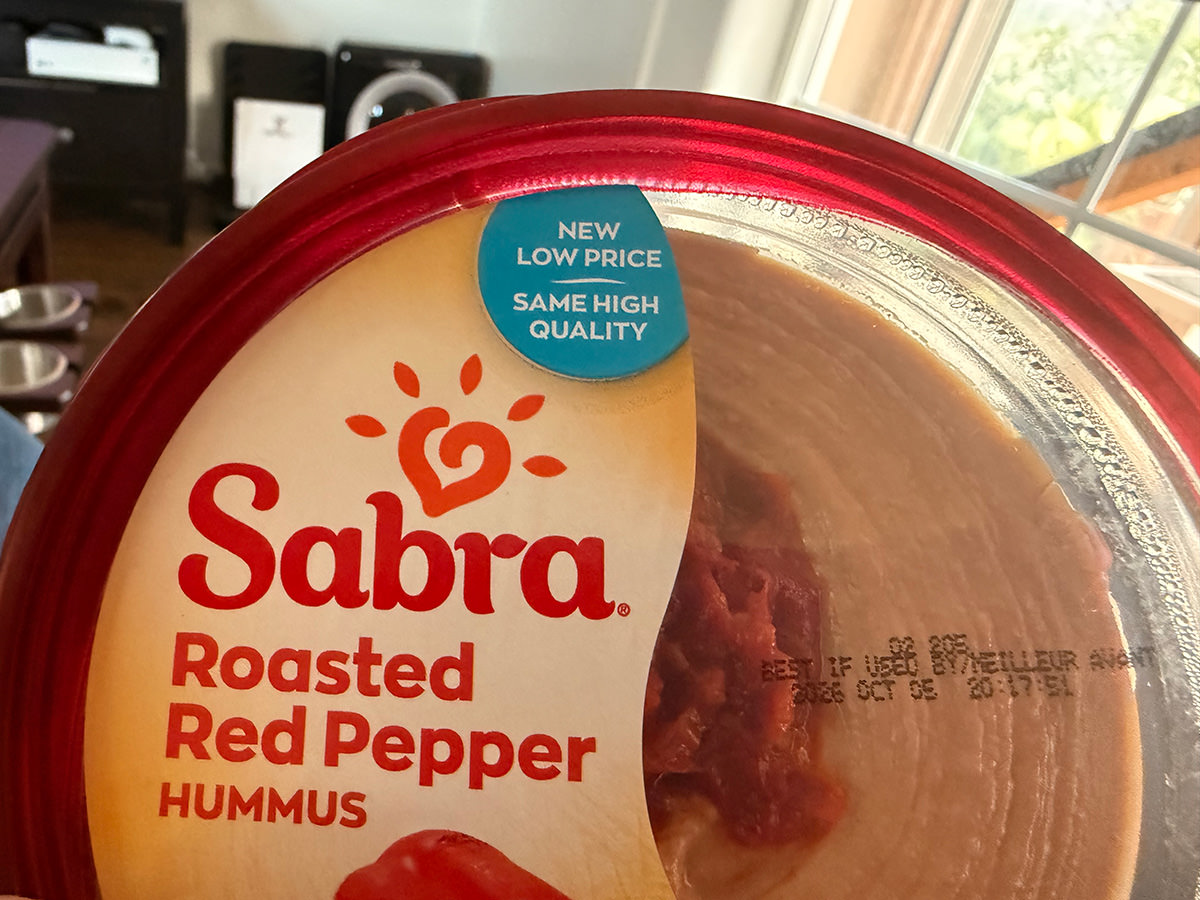
• The Incredible Shrinking Food! Thanks to idiotic fucking tariffs plus out-of-control fuel costs thanks to an idiotic fucking war, the price of food is insanely expensive now. And once again food companies are trying to camouflage it with shrinkflation. My hummus was advertised as having a lower price... BUT THE CONTAINER WAS NOTICEABLE SMALLER...
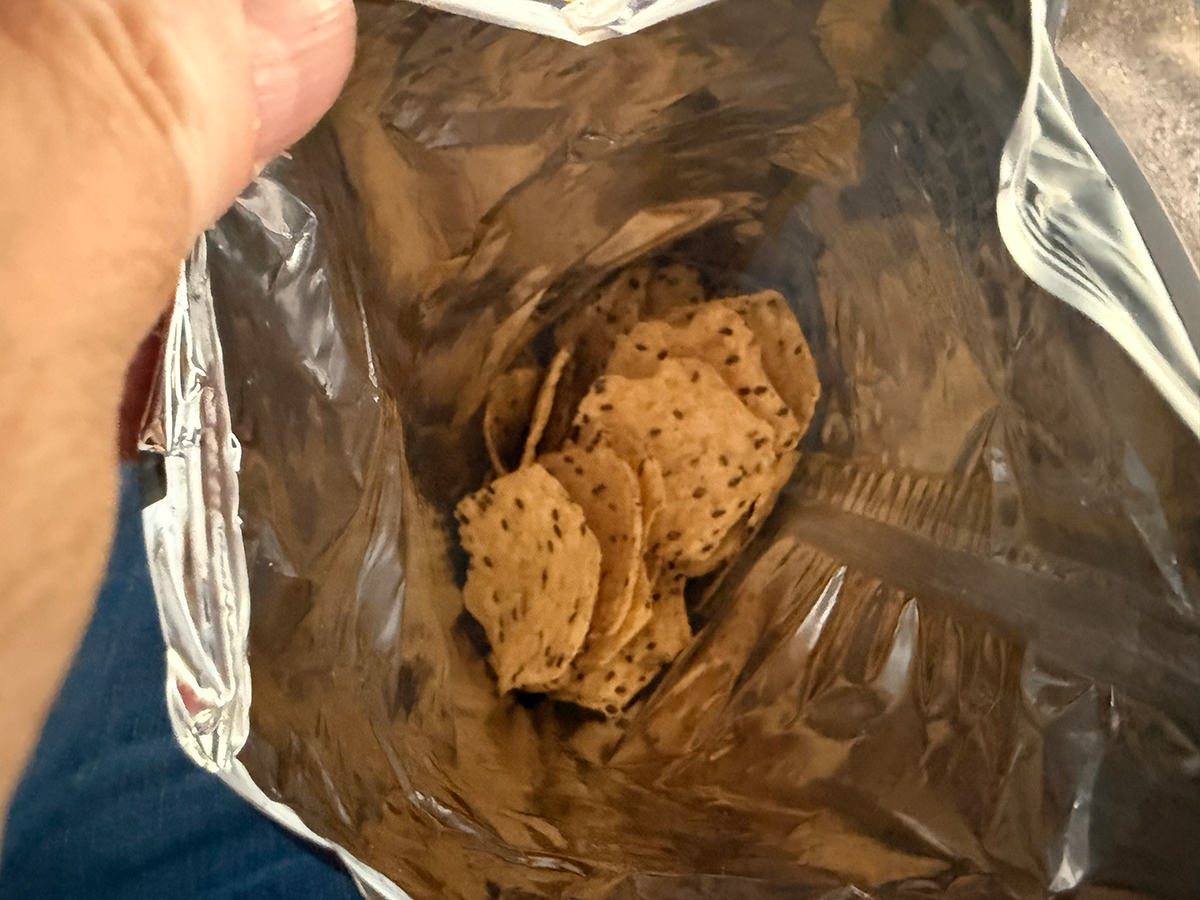
And don't even ask me what the fuck this is. According to the company who makes these chips, this is a full bag. Seriously, I haven't touched a single chip yet!
It's all so fucking insane. We're paying record prices for "LOWER GROCERIES ON DAY ONE" yet getting fuck-all for it.
And now back to being even more bitchy than what I can blog about.
 And so... digital price tags have finally arrived in my region of Redneckistan.
Needless to say, I positively hate them. Mostly because the idea of "dynamic pricing" is shit. Stores raising prices at certain times of the day or to test the maximum people will pay or whatever else shitty things are coming out of it are needlessly consumer-hostile.
But the bigger reason? THEY ARE VERY DIFFICULT TO READ!
They are dim, low-contrast, and have a weird look to small type which makes them hard to see. Given that my eyes are not the best, my only option to actually read the fucking things when they are not at direct eye-level is to take a photo with my iPhone and zoom in to read them that way...
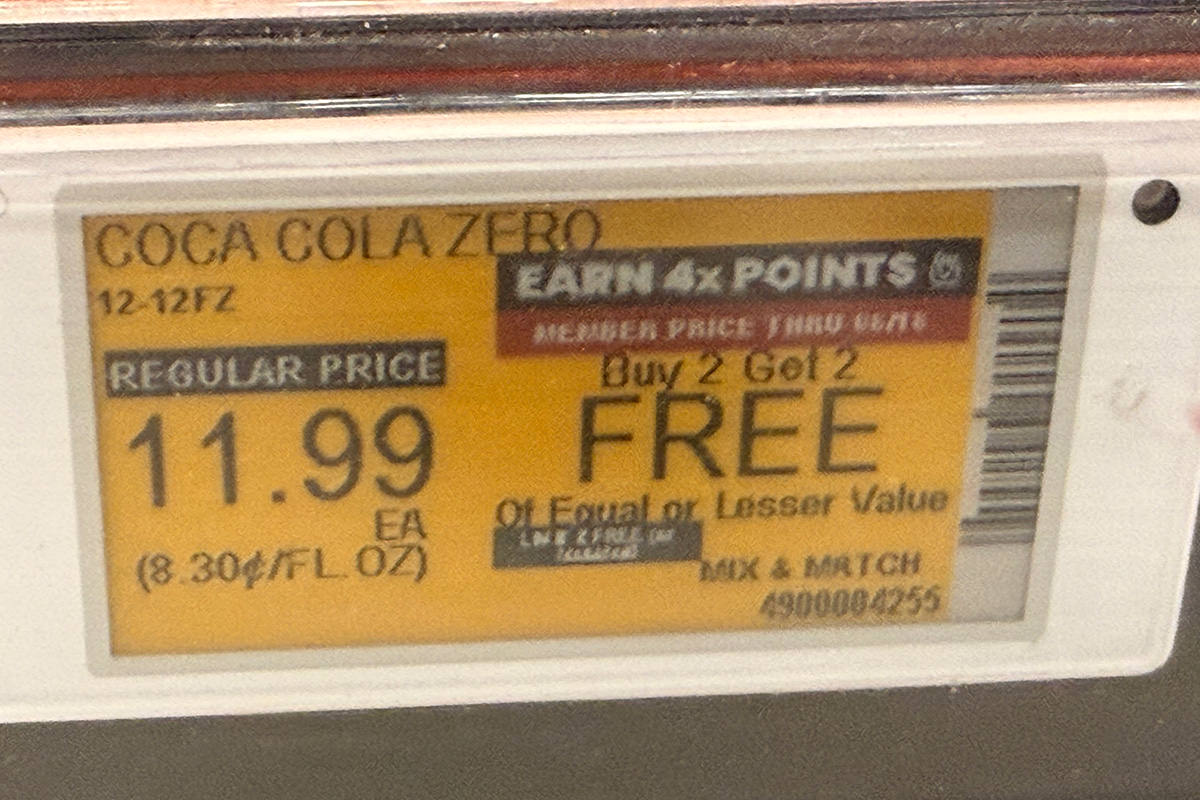
Assuming I can get past the fucking glare. I had to take THREE PHOTOS before I could get an angle where a photo could even help...
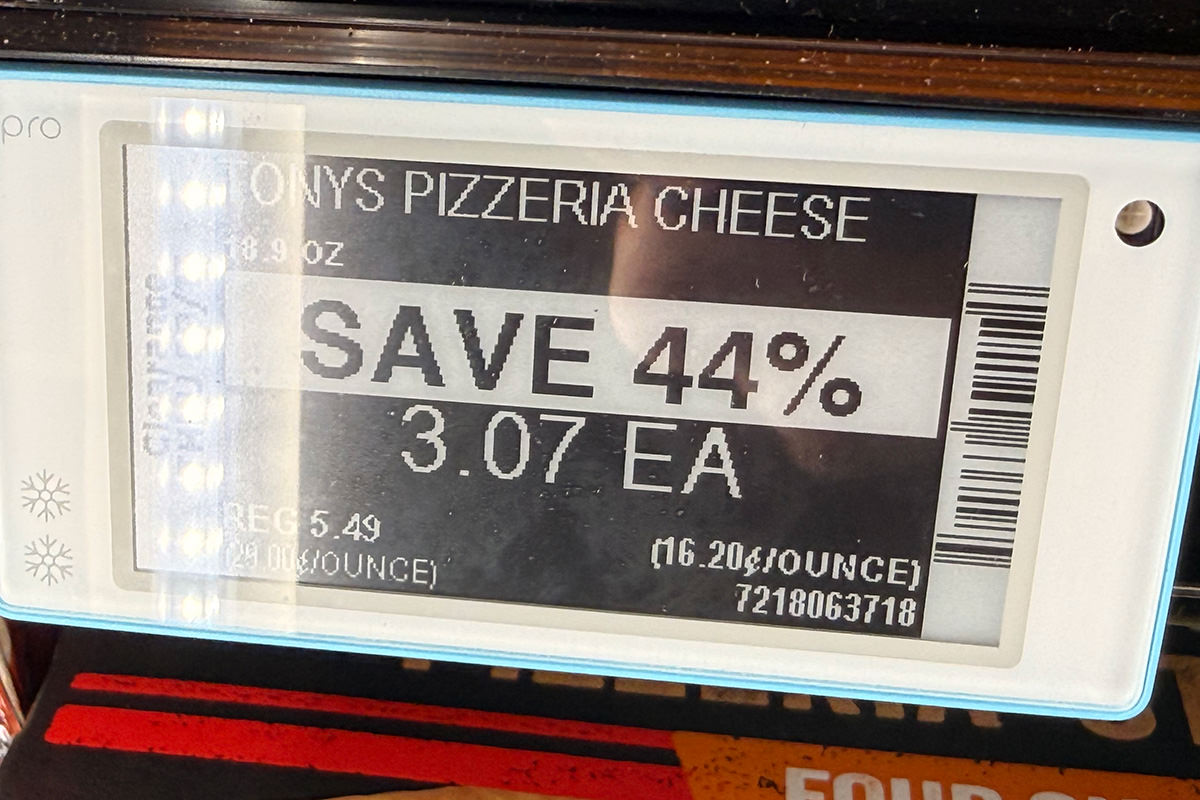
There are some laughs to be had, however. Take for instance these tomatoes that were on sale for 00¢ off regular price...
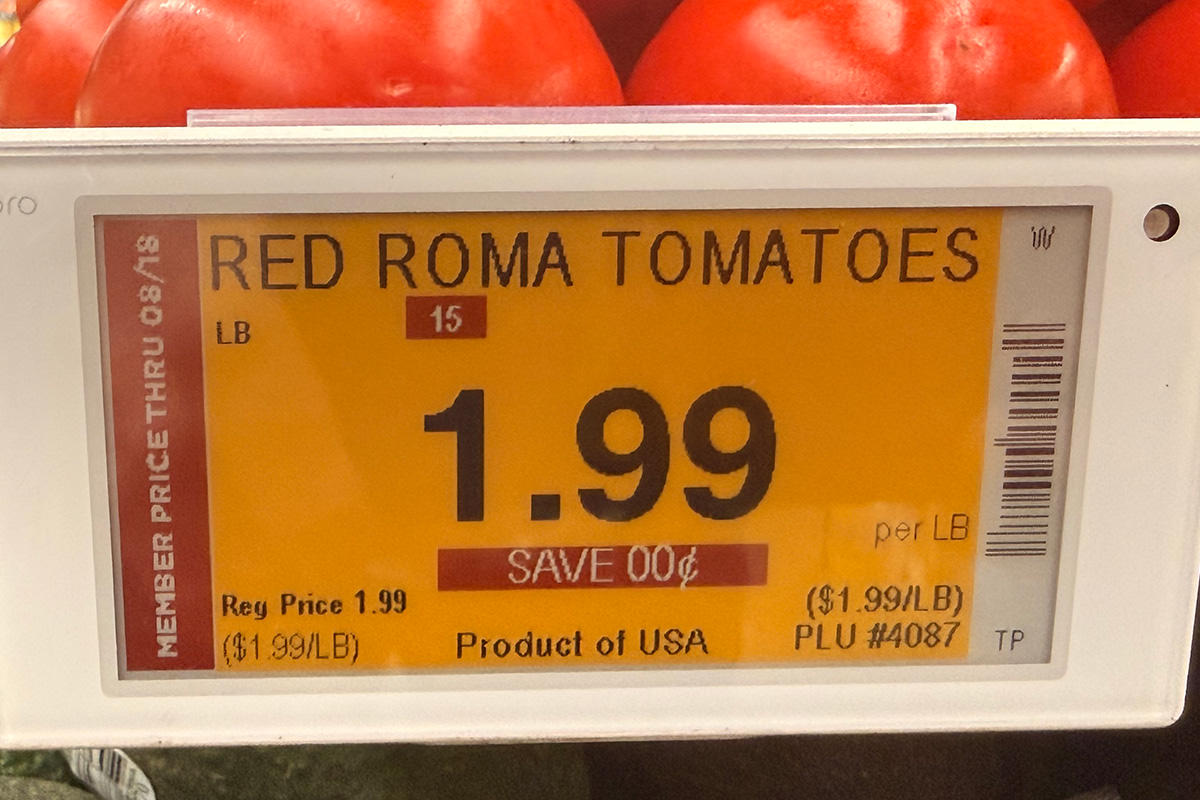
More than a couple signs were malfunctioning, making an already hard-to-read price even harder for visually-challenged people like me. Or anybody, really...
This is at Safeway, which used to truly be my most favorite place to shop. But then they started making it so you can only get discounts if you sign up for marketing. Then they made it so that some discounts were only available if you clipped a digital coupon. Then they made it so you got points but never really know exactly how to apply them. Then they made it so you only got the best savings if you bought them on subscribe-and-save. It's just been a slow decent into madness. And half the time something goes wrong... my coupons don't register so I get charged extra. Or a discount on the shelf doesn't register at the register. Or whatever. It's all such frickin' bullshit. JUST GIVE ME THE BEST PRICE WITHOUT HAVING TO JUMP THROUGH ALL THESE STUPID FUCKING HOOPS!
And, of course, like all grocery stores now-a-days, you are chained to their stupid app. Which also never works right. I wanted some diced potatoes, but the location in the store was obscured. So I clicked on the location icon and it brings up six pages of crap to scroll through, BUT NO FUCKING LOCATION!
Does anybody who develops these apps actually test them? Or use them... AT ALL?!?
I swear, most of the time I get to the point that I never want to shop at Safeway again. But switching to another store is kinda senseless because they're all getting to be the same.
I don't mean to sound like a whiny luddite, but how the fuck did we get here?
 Wishing everybody (but especially our troops and those who lost loved-ones in the military) a peaceful Memorial Day as we take time to remember soldiers of days passed who died in service of their country.
As you likely already know if you've been reading for a while, I love me the robot floor cleaning robots. And right now I've been really loving the Narwal Flow 2 model which has been cleaning my downstairs (Carl) and upstairs (Joy) floors. I feel beyond fortunate to have these devices which make my life a little easier.
But anyway...
I've had a few questions about the mapping that my robots do, and have been looking to online forums for help. The other day while I was scrolling through one of them, a woman was very, very upset that the Flow 2 she just bought wasn't doing a good job of cleaning her floors. She was cursing the poor robot, the manufacturer, and everybody "lying" about how good the devices are.
And then she posted a photo.
Now, I stopped being a Catholic a long, long time ago. But I involuntarily crossed myself when I saw what her floors looked like. They weren't just a little dirty. They were filthy. The grime was so crusted on them that areas looked like they hadn't been cleaned in decades.
Not wanting to be an asshole, I decided to offer up a bit of help by saying something like "I had problem areas that didn't get cleaned too, so I scrubbed them down and just have the robot maintain my floors by running a couple times a week. It's been working out great."
But the subsequent comments on my comment were not nearly as diplomatic.
People were saying things like "Problem areas? That entire floor needs to be torn out so she can start over!" and "Forget the robot have you tried explosives?" which was quickly followed by "Try filling the robot with battery acid."
Then the woman decided to yell at me before deleting her post.
I guess I should feel lucky that my mom kept a clean house and I learned by example. Though, if I'm being honest, I still haven't finished unpacking my suitcase. It's sitting in the kitchen hallway where it's been for a week now.
But don't worry... thanks to Carl, the area around my suitcase is squeaky clean.
Yesterday one of the most important videos you'll ever see was released.
And I need you to watch it.
It's that important, and here it is...
Okay, that was a ruse. Here's the real deal...
I implore you to watch this. If you have kids then I implore you to watch this then talk with them about AI chatbots. I implore you to share this with people you know... especially if they have kids or are vulnerable in some way.
You could be saving a life...
This is fucking repugnant.
AI is stealing our precious resources like fresh water and electricity.
And now they're coming for the people. Exactly as we knew it would. Because there's money to be made.
 As I mentioned yesterday, I recently acquired a brand new Narwal Flow 2 robot mop/vacuum. Here are my notes after a week with "Carl the Fourth" (named after Carl the janitor in Sixteen Candles, as my previous three robot vacuums were).
As I noted yesterday, this is a darn good robot mop/vacuum, and my home has never felt this clean with any other robot before. So let's get into it...
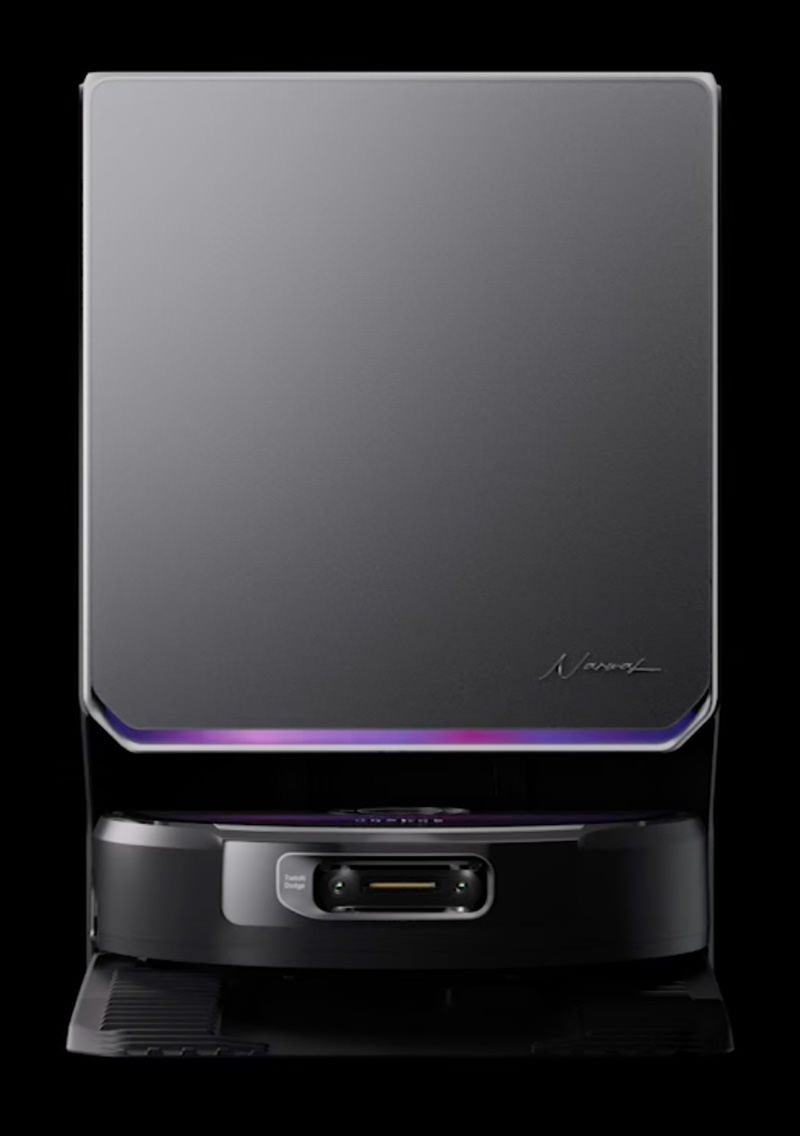
When it comes to mapping out your home, Carl the Fourth is pretty darn smart. Like all devices now, it's got "AI onboard" which means it can "see" objects and obstructions far better than older vacuums. Instead of mucking about by bumping into everything over and over, the Narwal Flow 2 using twin sensors to get a 3-D view of your home...

The initial mapping of my home was shockingly fast because Carl just zoomed around sensing where everything is. From the map he makes, I can see how he is seeing my home...
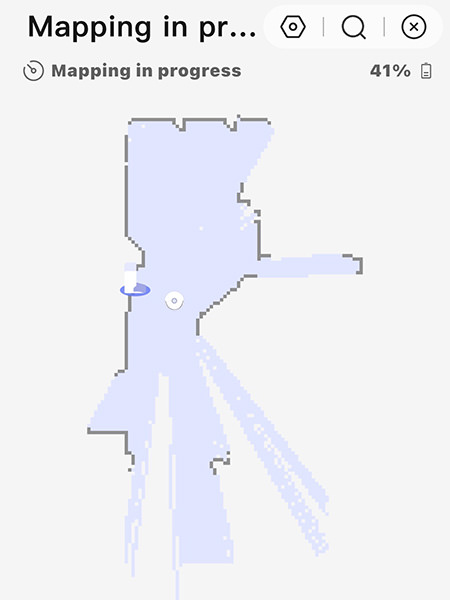
The AI is smart enough to detect objects like phones, cables, fabric, and shoes. I have two pairs of shoes by my door and they were identified easily (albeit in singular instead of plural form)...
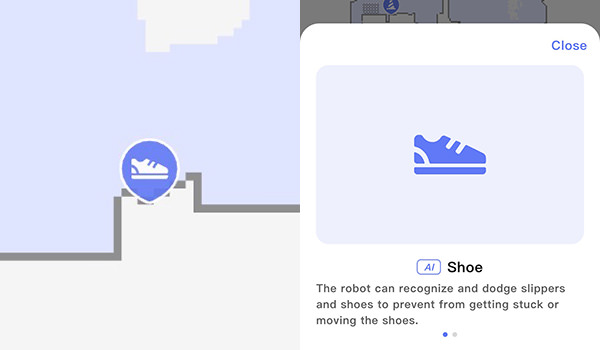
Furniture like beds, couches, tables, and even pet feeders(!) are recognized and marked on the map. The problem is that they are not marked on the map correctly. Here's the map that Carl made of my home...
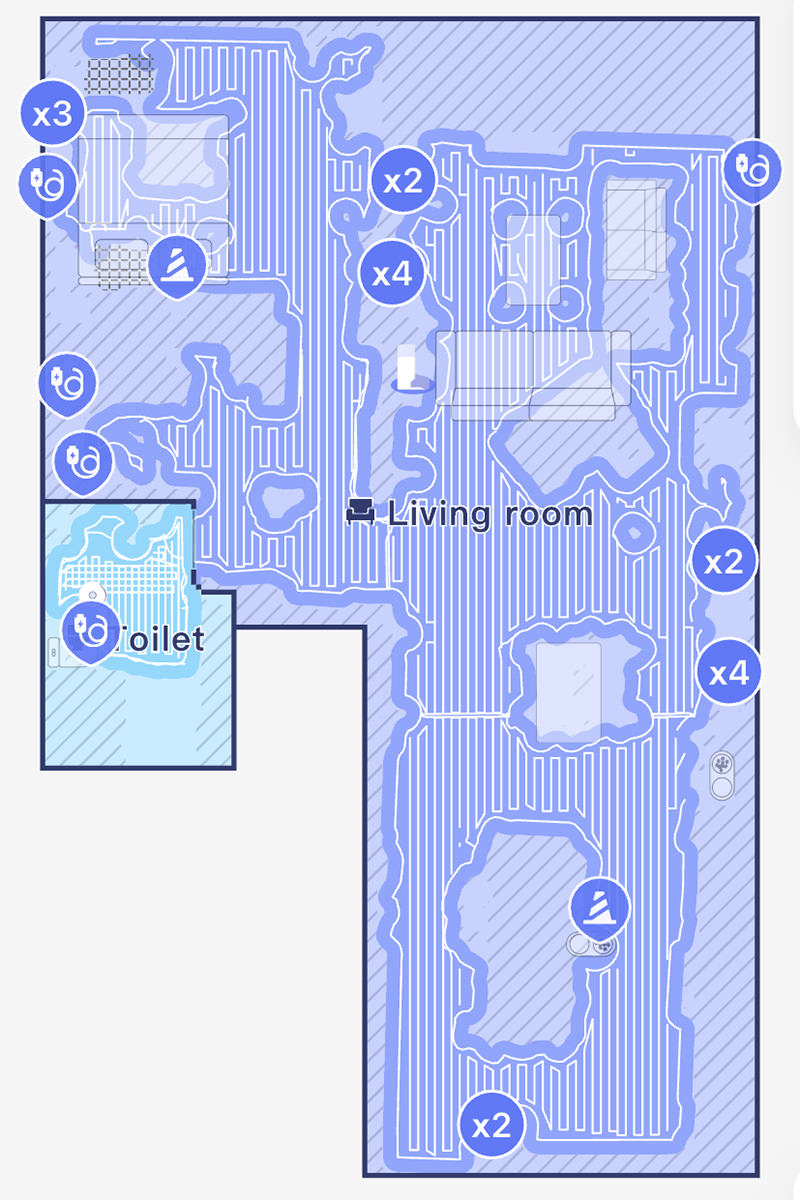
Let's look closer at my couches...
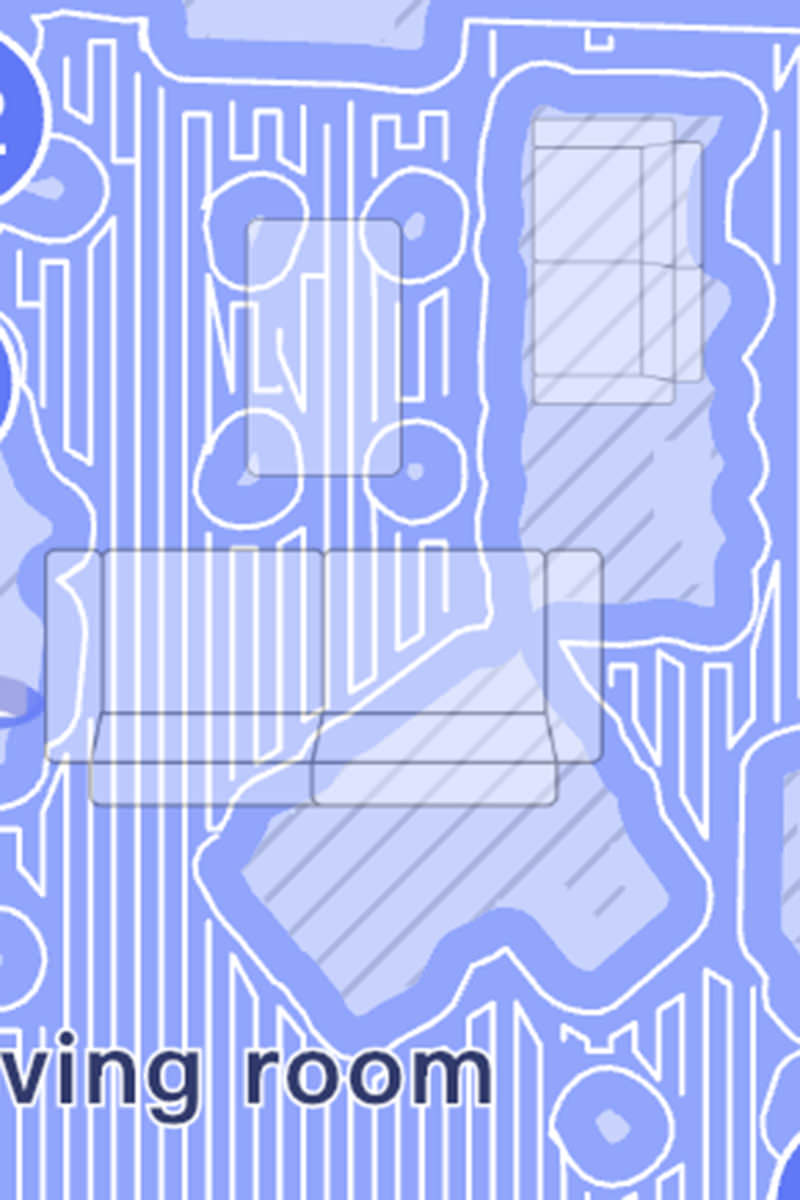
You can see that the coffee table perfect lines up where Carl cleaned. But the couches? The large couch is shown 2/3 of its length for some reason. But look at the smaller couch. Not only is it drawn massive, it also doesn't reflect the angle of the actual furniture. This is truly bizarre. Why doesn't the map representation match what is actually on the map? Maybe this will get better with updates.
When it comes to creating cleaning zones within your house, it's very difficult. I turn the furniture icons off because they're not remotely accurate. I would use past mopping data, but it doesn't show up. All you get is the sensor map... WHICH FADES AWAY WHEN YOU START DRAWING ZONES?!?? They're barely visible...
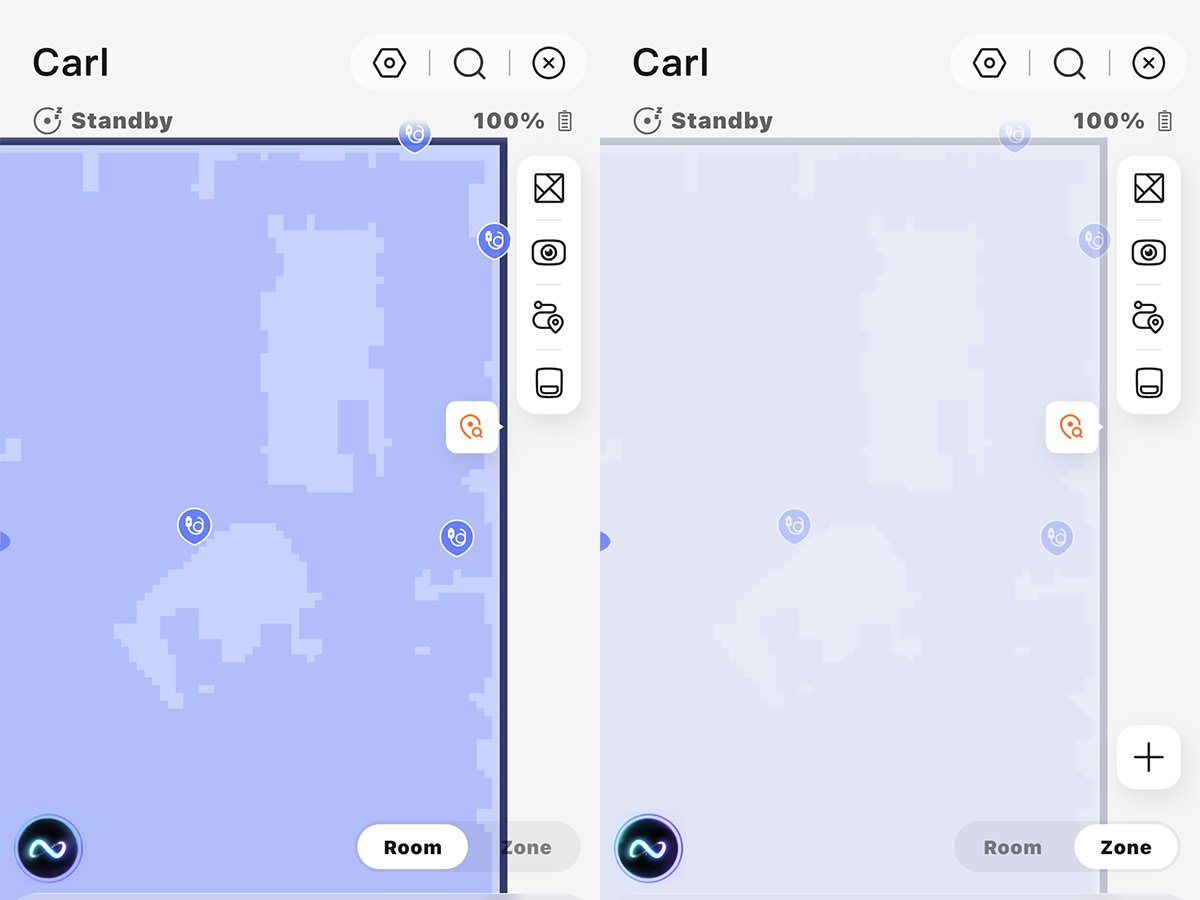
Ugh.
Narwal recommends that you first do a full vacuum-only so that any dirt doesn't interfere with the mopping so I did that. Even though my Roomba had cleaned just two days before, the Narwal Flow 2 came back looking filthy. Which means Carl the Fourth is obviously doing a deeper clean and getting closer to areas which collect dust, cat hair, and cobwebs. This was quite impressive.
I left some cat vomit residue from the previous week because I had gotten a notification that Carl had shipped and was on his way. I wanted to see if he would be able to scrub it up...
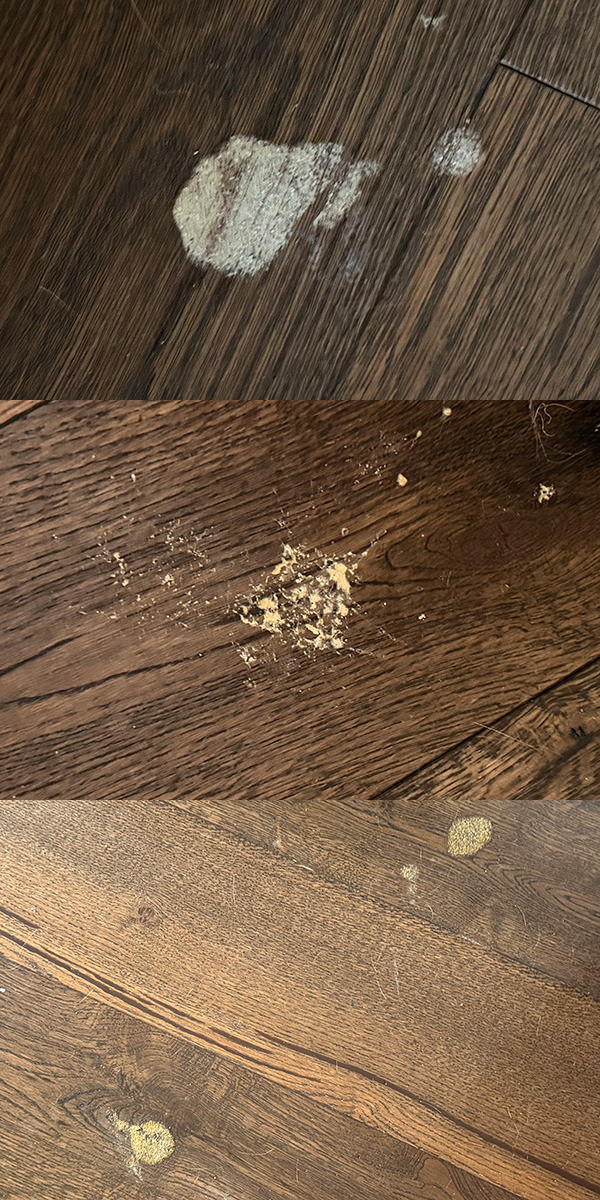
The answer is no. Not only did Carl not get them cleaned up, he didn't even identify them as dirty spots so he would attempt to clean them up. In reviews and the sales promotion, I saw video after video of Carl scrubbing spots clean with the "Smart Stain Detection"... but not here. I don't know if it's because my floor is dark wood instead of light wood, but should that really matter when the spots are fully contrasted against the floor? How did all three of these get missed? I sincerely hope that Narwal sends improvements to the Flow 2 in order to upgrade its smarts for stuff like this. I ended up having to wet paper towels and manually wipe them up as usual. Bummer.
The next morning I woke up to find that Jake had tried to hack up a hairball, leaving fresh water vomit dribbled from the dining room to the guest bedroom. So I opened up the Narwal app... drew a box around the area affected... then unleashed Carl and waited to see if the fresh spots would be recognized. Turns out they didn't need to be. He blazed over them without a second glance, obliterating them easily...
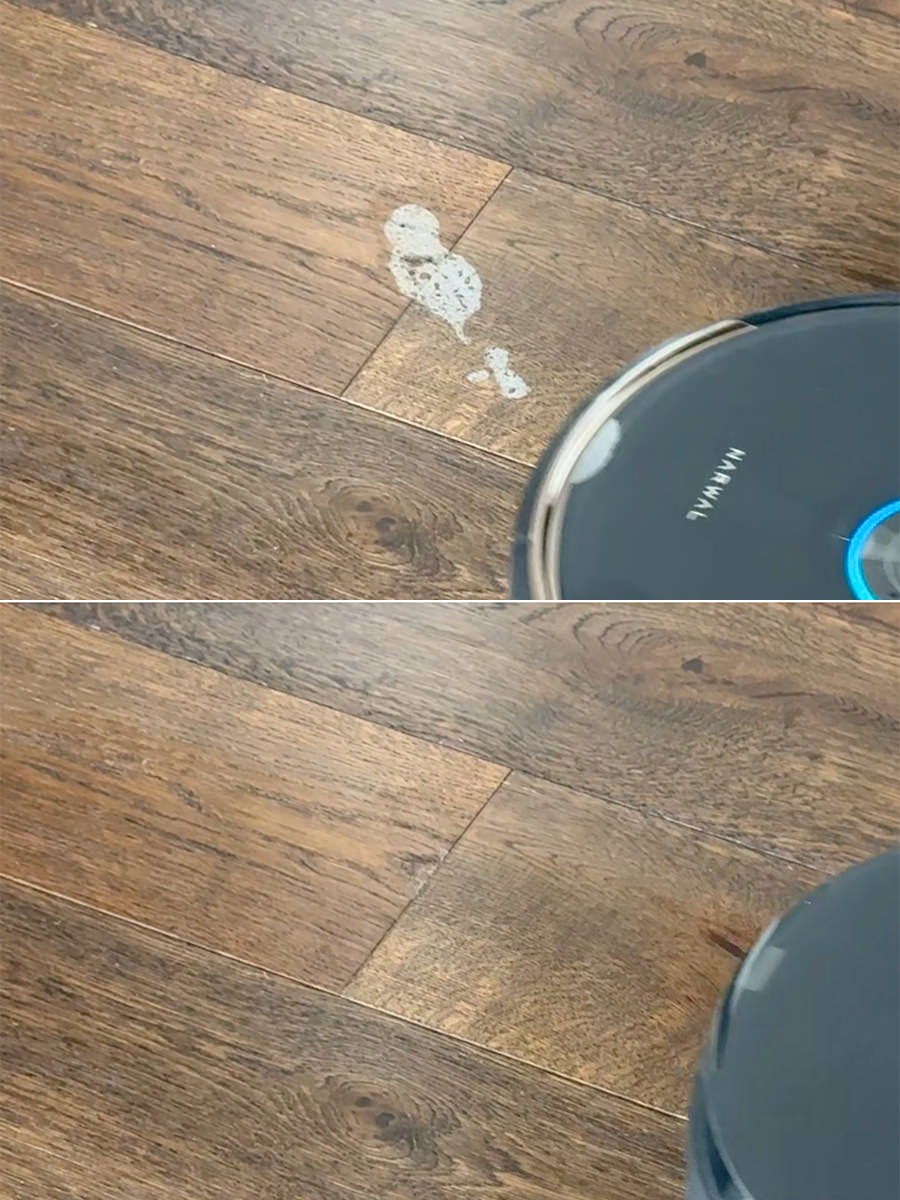
And then... yesterday I woke up to find that one of the cats had done a scarf and barf. So here we go. This is why I got Carl in the first place. Will he think that this is poop and avoid it? Or will he recognize this as cat vomit and attempt to clean it up?
Oh heck yeah! Carl noted the stain, then turned his vacuum on highest speed and attacked it. Going over it again and again until it was gone, then he mopped over it until the floor was clean. Great job, buddy! Though this does worry me a bit. I haven't had a chance to look at Carl's undercarriage to find out if there's cat puke smeared on it. And does this mean if my cats end up pooping on the floor for some reason that he will try to clean it? That's a good question.
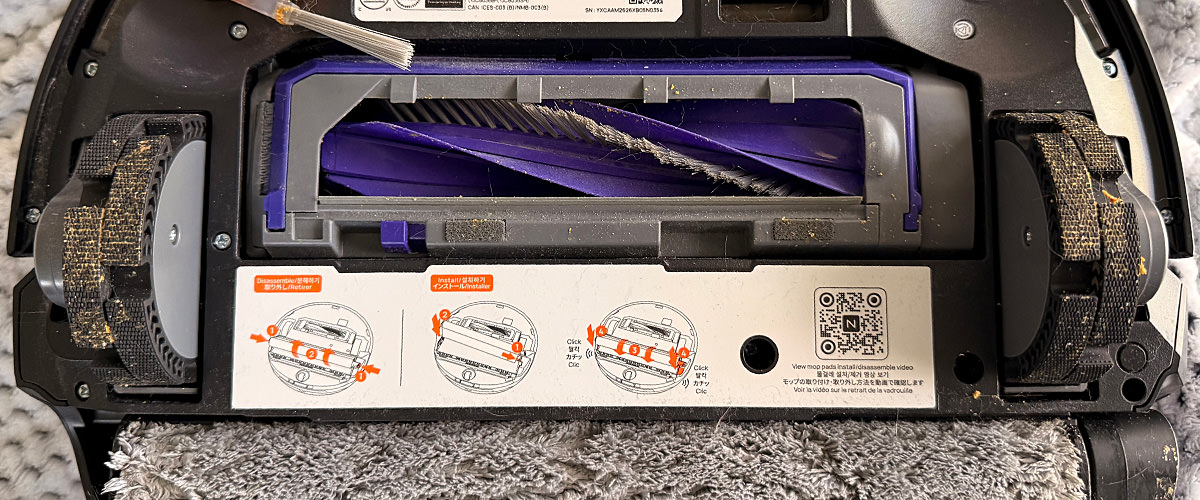
UPDATE: Carl ran through the vomit and got his wheels messy. Not good. Would probably have been easier to clean the vomit than clean these wheels.
The water in the base station is pre-heated in the tank to 140º, which is supposed to give you a better mopping. The problem is that even fresh off the base station, the water Carl leaves behind is not at all hot. Maybe slightly warmer than ambient room temperature. This is disappointing after reading it so prominently in the promo literature, but it doesn't seem to make much difference. Where it likely makes a lot of difference is in cleaning the mop head during/after he's been mopping. Multiple rinses with 140º water is sure to clean the head better than room temperature. For that, I am thrilled, because it addresses one of my biggest problems I had with the Bissell SpinWave robot, which doesn't clean its spinny pads at all. You have to manually toss them in the wash.
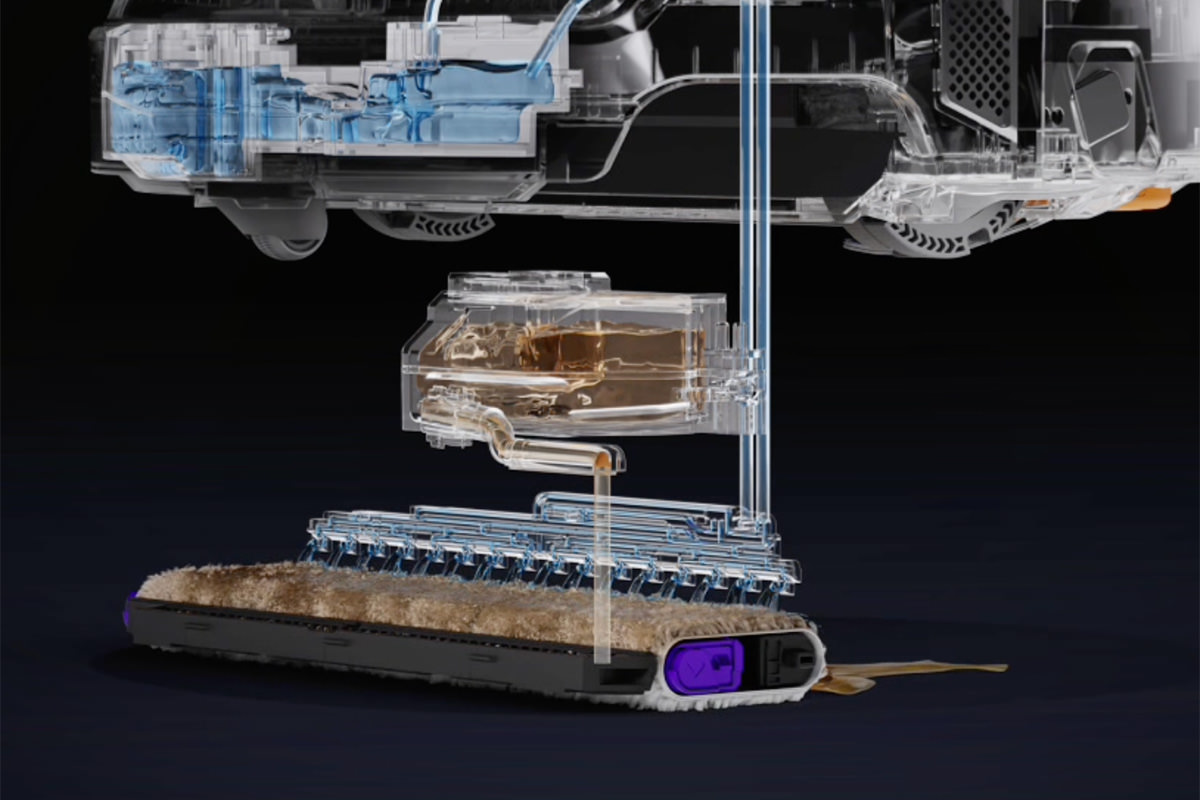
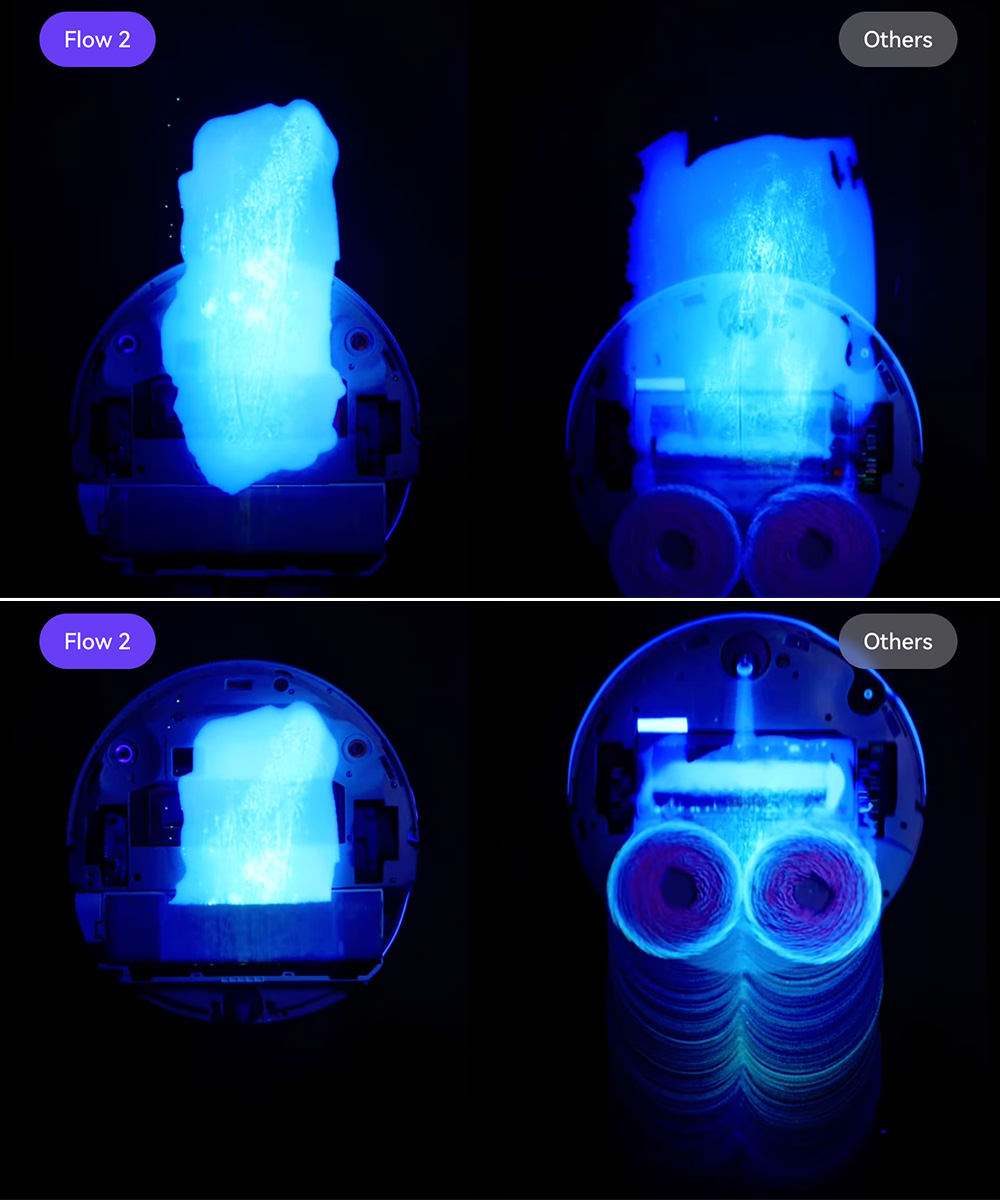
There's a bigger problem with the spinny pads and vibrating pads and roller pads on other mopping robots, though. They just smear the dirt around with water, and my floors never felt freshly-mopped. The Narwal Flow 2 doesn't use any of these technologies... Carl instead uses a flat mopping head which has a "rolling track mop" head that rolls around it while constantly being rinsed off and re-wetted. It actually cleans your floors...
Just look at how my SpinWave "cleaned" my floors in comparison...
But here's something else that's cool about the mopping... the head can extend outward from the side to get closer to edges than it would if it just stayed underneath the unit. The technology behind the Narwal Flow 2 alone makes it better than any cleaning robot I've ever had. After mopping, my floors look as clean as if I hauled out a mop and manually scrubbed them. It's so amazing to see. I walk on the floors in my bare feet and they feel great. So good that I could never go back to the spinny pads, vibrating pads, and other stuff I had in my other mopping robots.
Time will tell if the notorious hard water where I live is going to build up inside the robot or the base station and ruin them. I toyed with the idea of using distilled water, but that would get very expensive very fast.
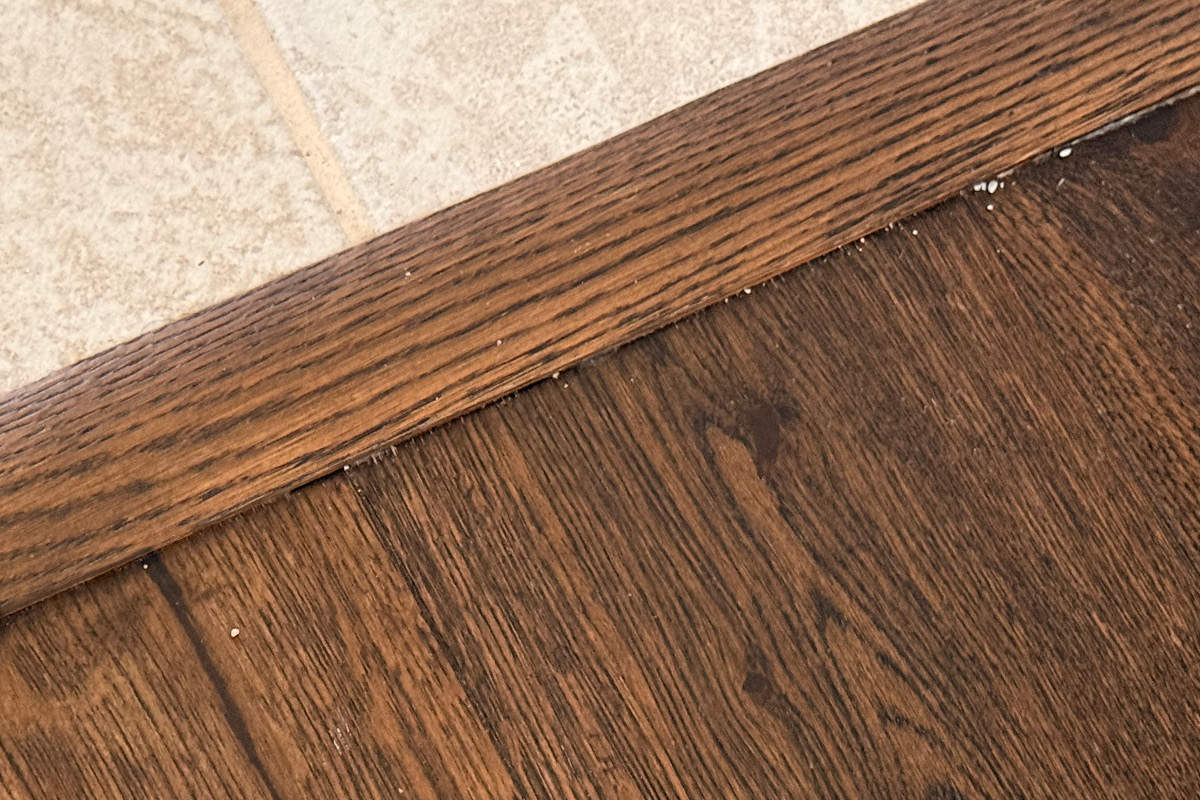
As expected for a robot with the advertised suction power, the vacuum is great. But it seems to have a bit of a problem due to the way it sections off your home. Carl understands that the kitchen is a different surface than the dining/living/bedroom area, so it attacks them separately. This is a bit of a problem, because the kitty litter that gets trapped against the transition strip between them doesn't really get vacuumed for some reason...
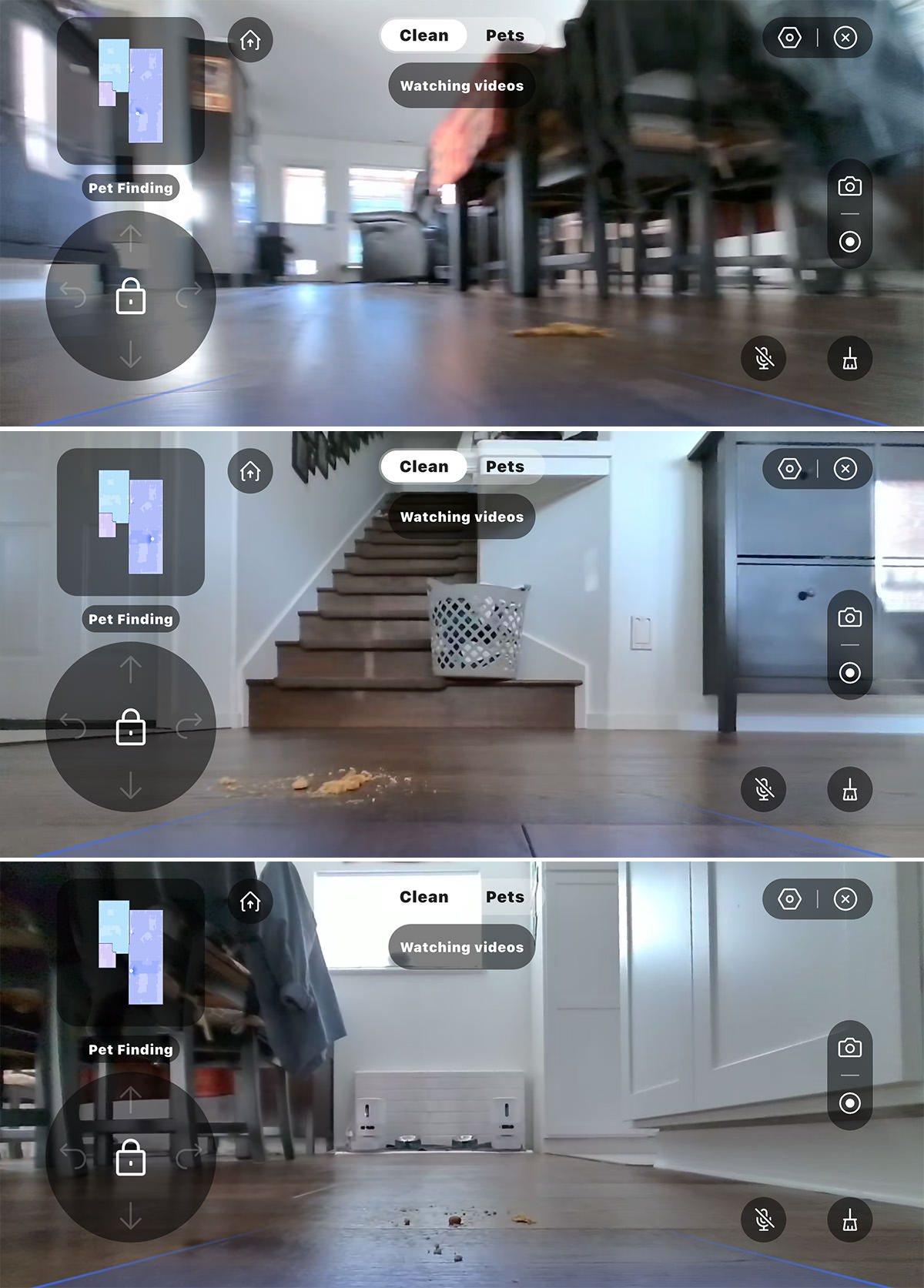
There's an HD camera on board which allows you to look out the front as cleaning is happening. You see what the robot sees...
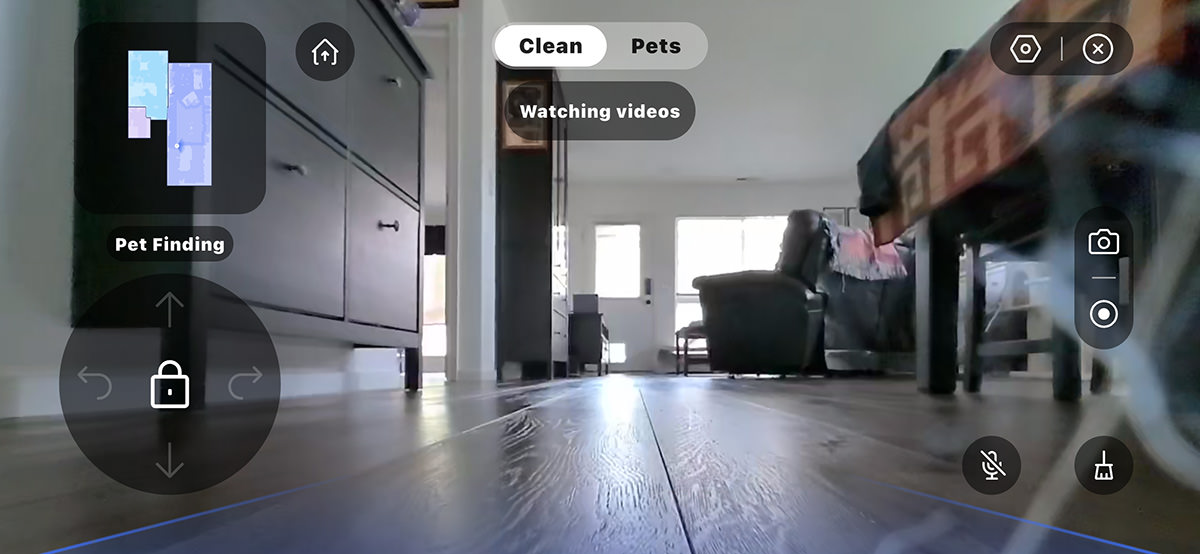
You'll note that there's a directional pad in the lower left where you can manually drive the robot. I haven't done this yet. It might be fun from a remote-control car standpoint, but if I have to do that in order to vacuum or mop, I'll just grab my vacuum or mop!
Disclaimer: My home is wall-to-wall hardwood, so I don't know how well it does on carpet.
So... yeah... love this thing. Hope it gets even better. Let's sum this up, shall we...
THE GOOD
THE BAD
Ultimately I'm very happy with Carl the Fourth. He's very expensive, but does his job very well. Much better than I do with my quick cleanings on Sundays. Yes, I will still do an occasional deep-clean, but probably not every month. Maybe every-other-month or when company is coming. In-between, Carl will be vacuuming and mopping Mondays, Wednesdays, and Fridays.
I just hope that he has a long service life, because when you have built-in obsolescence or planned failure at this level, because if he dies right after the 3-Year Warranty ends, that's too soon.
The problem is... I have cats.
In addition to year 'round kitty litter getting kicked around, this time of year Jake and Jenny are shedding like crazy. This means fur is everywhere and hacking up hairballs are more frequent. Yuck. Every Spring I toy with the idea of buying new robots to help keep things clean (all my floors are hardwood, so it's very noticeable).
So every Spring I toy with the idea of getting new-and-improved robots. Then I don't because I don't want to spend the money only to be disappointed again.
Fast forward to a couple weeks ago and I said something to a friend about cat hair being everywhere and I was presented an option for a too-good-to-be true new robot that was being released on April 20th... the Narwal Flow 2.
So of course I researched all the pre-reviews of the product and did a deep dive into the competition.
The robot I was looking at a couple months ago was the Matic, former Google Nest engineers. The reviews were amazing and its reimagining of floor cleaning seemed a smart take. But it was way too tall. It wouldn't fit under any of my furniture, which means all the cat hair blowing under it would never be touched. So I passed.
I have mixed experiences with Dyson (I find them mostly sub-par) but was told they have been investing loads of their cash into robots, so I looked at some reviews. But their latest and greatest Spot+Scrub was getting terrible reviews.
The previous Narwal models were always in competition with Mova, Roborock, and Dreame, so I investigated their offerings. I had experience with i-Robot and Ecovacs, so I looked into those as well. After exhaustive research, I decided that the models competing with the Narwal Flow 2 weren't much better or worse, so I pushed the button on it because the offer I had was too good, then I hoped for the best.
After living with the robot for a week, I have opinions.
Which I will share tomorrow.
SPOILER ALERT: This is a darn good robot mop/vacuum, and my home has never felt this clean with any other robot before.
 The Easter Bunny may be coming to town, but I'm goofing around on the internet ... because an all new Bullet Sunday starts... now...
• Work Chums! I've seen this several times, but I don't think I've shared it before...
If you've dealt with insurance before, you get it.
• Smartest Phone! Kit-Kat drama aside, this was my favorite April Fool's joke I saw...
Makes me want to actually buy a Bluey Phone!
• Geography! Washington is weird, y'all...
If you're not from here, you don't know how weird though.
• NEWSFLASH: MS. NOEM IS DEVASTATED. THE FAMILY WAS BLINDSIDED BY THIS, AND THEY ASK FOR PRIVACY AND PRAYERS AT THE TIME. And I'm asking you to fuck off with your bullshit. You used your position to utterly destroy lives without any regard to their privacy... and you certainly didn't pray on their behalf. Yet you have the absolute gall to ask for "privacy and prayers?" I do wonder if she was fired for this because the White House had advanced notice. They're already neck-deep in scandal, so it makes sense they would want to get this as far away from them as possible. I'd try to feel sorry for Bryon Noem getting attacked over something that was his own private business... but he knew what he married into and what she was. It's no surprise this is blowing up because of his own doing.
• Turn It Off and Back On Again! What's delicious about living in the digital age is that assholes can get internet detectives crawling up their ass with a microscope after they do something shitty. Take for instance this judge, who was a heinous douche to an IT worker helping him out. Many judges think they are gods, and when you show them that they're not, they react badly...
And now the internet has been digging up everything from his bankruptcies to other asshole behaviors and publishing them for the whole word to see. Good. That's what the internet should be used for.
• How is The Dow? In honor of the puss-filled piece of shit who used her position to protect sexual predators getting fired, I am re-posting the only good thing that came out of her tenure...
Now you can fuck off and just go away until somebody drags your ass in front of The Hague. And, God-willing, your former boss will be there with you. Speaking of which, here's the only good thing to come out of his tenure...
Any guesses as to who's next on the administration firings distraction BINGO card?
And on that note, Happy Easter to all who celebrate.
We are constantly under assault from those who wish to steal from us, harm us, or otherwise make our lives miserable. From telemarketers to spam emails, fuckers are everywhere.
And now there's AI. As with so many applications of this new technology, it's making our lives demonstratively worse. Then today I saw this...
Soon enough, AI will be too smart for tricks like this.
And then we're even more fucked than we are now.
I may be fucked up because the fucking clocks were fucking changed again, which is fucking rough because I'm hard at work on this fine Sunday, but don't worry about bullets... because an all new Bullet Sunday starts... now...
• For the Love of God, Make the Stupid STOP! Look, more people want us to go on permanent Daylight Saving Time than don't. Some of us are so fucking desperate to stop dicking around with the clocks that we're even considering permanent Standard Time (which is not a better option, but it is the only one you can make happen without getting the fucking dumbasses in Congress to ACTUALLY FUCKING DO SOMETHING). This is all so stupid. Just do it. Just make Daylight Time permanent and fucking MOVE ON FROM THIS BULLSHIT.
• Nacho! One of my favorite chefs is Saúl Montiel, who appears on Epicurious often. He's entertaining and a genius in the kitchen. Even when he's cooking with meat, I learn new things that I can then adapt into a vegetarian recipes. Yesterday I found that he recently made Perfect Nachos that are vegetarian from the jump. They look incredible...
Damn that looks delicious. No clump of stuff dumped on top of the chips, and when you grab one chip you don't take the entire plate of cheese as you would with cheddar. My next grocery order is going to include the ingredients for this bad boy. Best cooking tip you'll ever get from me... go to the Epicurious page and search "Saúl Montiel" to get more awesome tips than you can shake a spatula at.
• YOU FOLD IT IN! After Catherine O'Hara's passing, I'm seeing a non-stop parade of clips with her in them. But this is the first time I've seen her in LEGO. It's one of her most classic scenes...
Oh how I miss Schitt's Creek.
• Libarry! Every time I see the Obama Presidential Library in the news, I wonder what in the hell they were thinking...

I detest this design. It looks like a brutalist nightmare... lacking warmth, beauty, elegance, or architectural fluidity. It could have been so much more. I often wonder what type of statement these oppressive-looking monuments are supposed to be making. Whatever it is, this one feels opposite of the presidency it is supposed to be representing.
• Lanterns! It's interesting how James Gunn is trying his best to differentiate all the DC projects so they're not merging into sameness. And while I can't say that the concept for a cosmic-spanning character like Green Lantern to be trapped in a distinctly earth-bound scenario, I do appreciate that Lanterns is striving to be something different...
And then there's the rumor that Gunn wants to bail from his contract a year early because he feels at odds with his studio's new Paramount overlords. And wouldn't it be interesting if he returned to Marvel? Seems like Paramount would do just about anything to avoid that.
• NEWSFLASH: LLMs can unmask pseudonymous users at scale with surprising accuracy. For better or worse, I put my name on the shit I say. My name is at the top of the sidebar of every entry on Blogography. And my real name is used on all my social media as well. And, believe me, I struggled with whether or not I wanted to go that route. In The Beginning Times, it felt like more people were using a pseudonym than their real names, but I ultimately decided to skip past that. Who cares what I say? And then I got a reader showing up where I live, and figured I may have made a mistake (the threats were also having me re-think things). But now, decades later, it turns out that staying anonymous is a thing of the past. AI can unmask you with "surprising accuracy." I wonder if this will cut down on the number of people making "anonymous" threats? One can only hope.
• Frod! I think I shared this years ago. I bears re-sharing....
I do the same thing... for my cats.
• Denial Isn't Just a River In Egypt! Every time washed up, bargain basement Hercules homophobe Kevin Sorbo opens his mouth... it's either to say something shitty. Or work in movies like Meet the Spartans so he can kiss dudes...

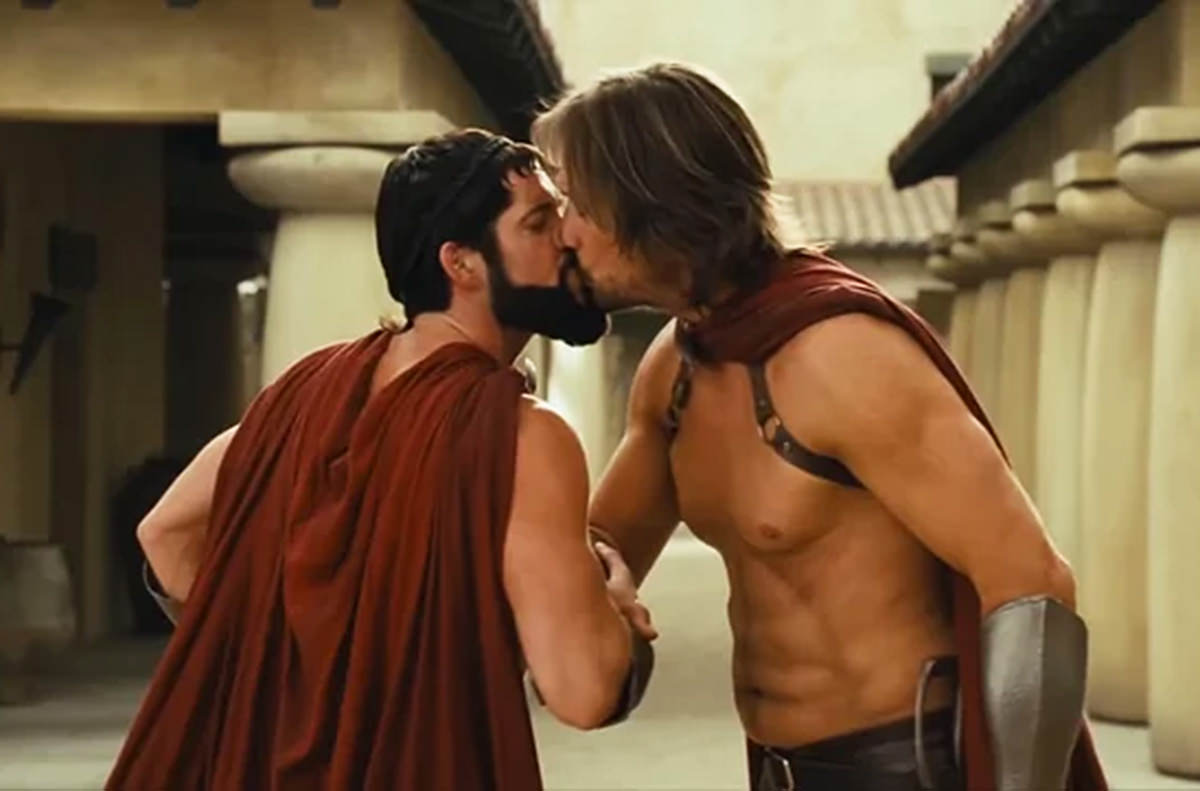
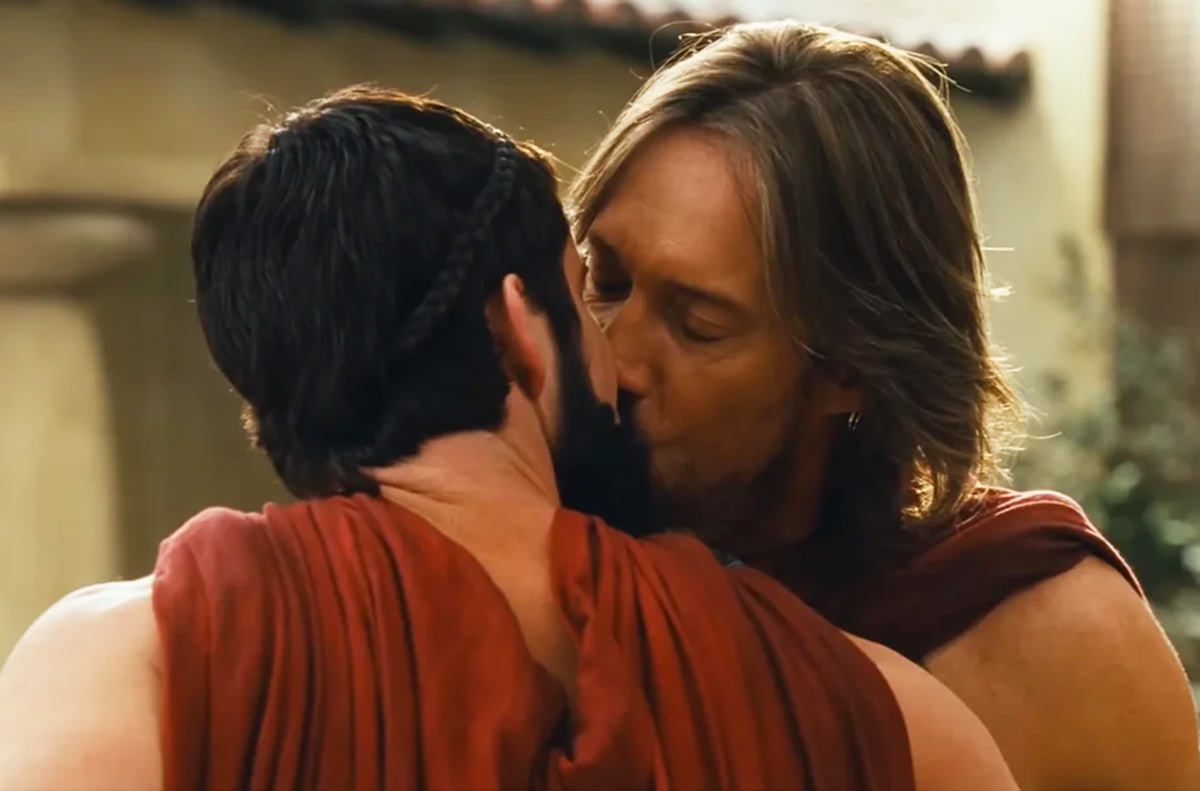
That's it, Sorbo, put your back into it! Such a hypocrite. Lord what a piece of shit.
And now I'm going back to work. Feel sad for me since my circadian rhythm is fucked.
 WARNING: This entry contains technical stuff most people won't care about!
Once I had finally saved enough money to replace my aging QNAP NAS (Network Attached Storage) system with shiny new UGREEN devices, I was dismayed to find that some of the apps I relied on were not available in their app repository. "ZOMG! WHERE'S PLEX?!?!" I screamed. "HOW CAN YOU SELL A NAS THAT DOESN'T HAVE PLEX?!?" Sure QNAP was always late to the table with updates to their apps, but at least they had apps.
Enter Docker...
"Docker is an open platform for developing, shipping, and running applications. Docker enables you to separate your applications from your infrastructure so you can deliver software quickly. Docker provides the ability to package and run an application in a loosely isolated environment called a container. The isolation and security let you run many containers simultaneously on a given host. Containers are lightweight and contain everything needed to run the application, so you don't need to rely on what's installed on the host."
Or, to put it another way, Docker lets you run the apps that aren't in your NAS's app repository.
Now, before I dig into it, there is something I've learned about Docker. Primary of which is that a lot of people are moving away from it because it's gotten bloated and resource hungry. There are even lighter alternatives being developed which do the same thing more efficiently. But none of them are in the UGREEN app repository like Docker is, and I don't want to take the time to learn how to manually install them. So here I am running Docker.
Not that Docker is easy, mind you.
Things can get very tricky when trying to install apps, even when you are following a step-by-step guide you found on the internet. You're still going to have to deal with SSH and config files (called "compose.yml") and other stuff that ain't a point-and-click process. You will have to get your hands dirty and that can be frustrating. I can say that the more you use Docker, the easier it gets.
The important thing to note is that despite some difficulties, I do have my apps up-and-running on my NAS now. I'm going to drop those apps here in case I ever need to refer back...
Since discovering the joys of Docker, I'm sure there are several other apps out there that I will be installing. And there's a lot of apps out there.
So... my initial panic of UGREEN not having many apps has been resolved. About the only UGREEN apps I use now are Docker and Sync & Backup (I have a secondary cheaper UGREEN NAS in a separate location which regularly pulls all my data off my home NAS via TailScale so I have an off-site backup). Everything else is on Docker. Which has changed the way that I use my devices and store my data.
In a good way.


 Atom Entries Feed Comments Feed